
Follow the instructions in this article to record every Flex Acre task as you finish it. Write the entry down before you move on to the next job, as a reading you meant to remember is a reading you have already lost.
Gather Tools:
- Flex Acre Data Log
- Flex Acre Quick Reference Guide
- Flex Acre Checklist
- pH Test Kit (in the Grower Toolkit)
- TDS Meter
- Scale
- Labeling Tape
- Camera
Your Printed Resources
Print these three and keep them with your Flex Acre. Between them they carry every number you need, every box to tick, and somewhere to write your readings down.
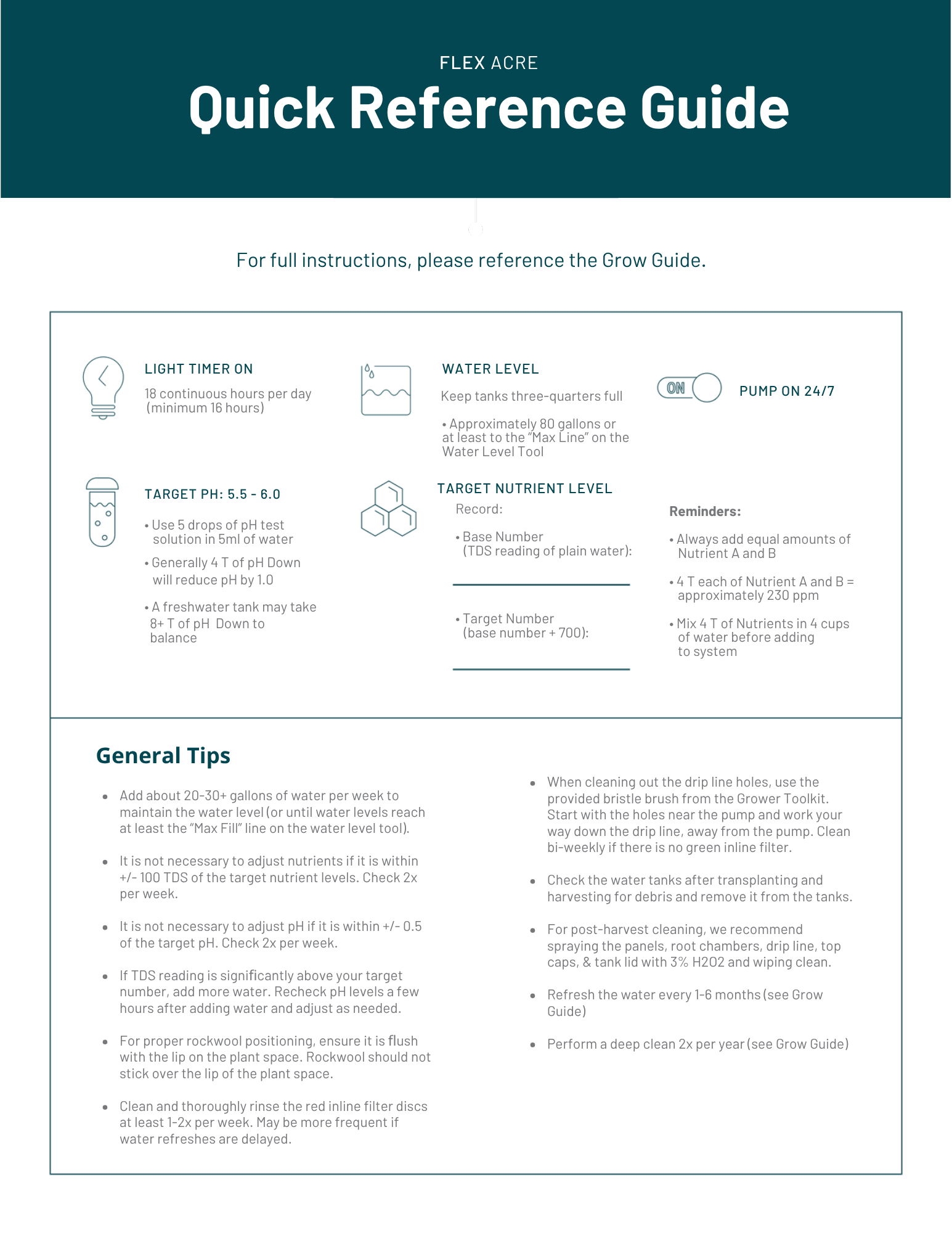
Flex Acre Quick Reference Guide holds your target pH, your target nutrient level, your light timer hours and your water level on a single page, along with the general tips worth rereading.
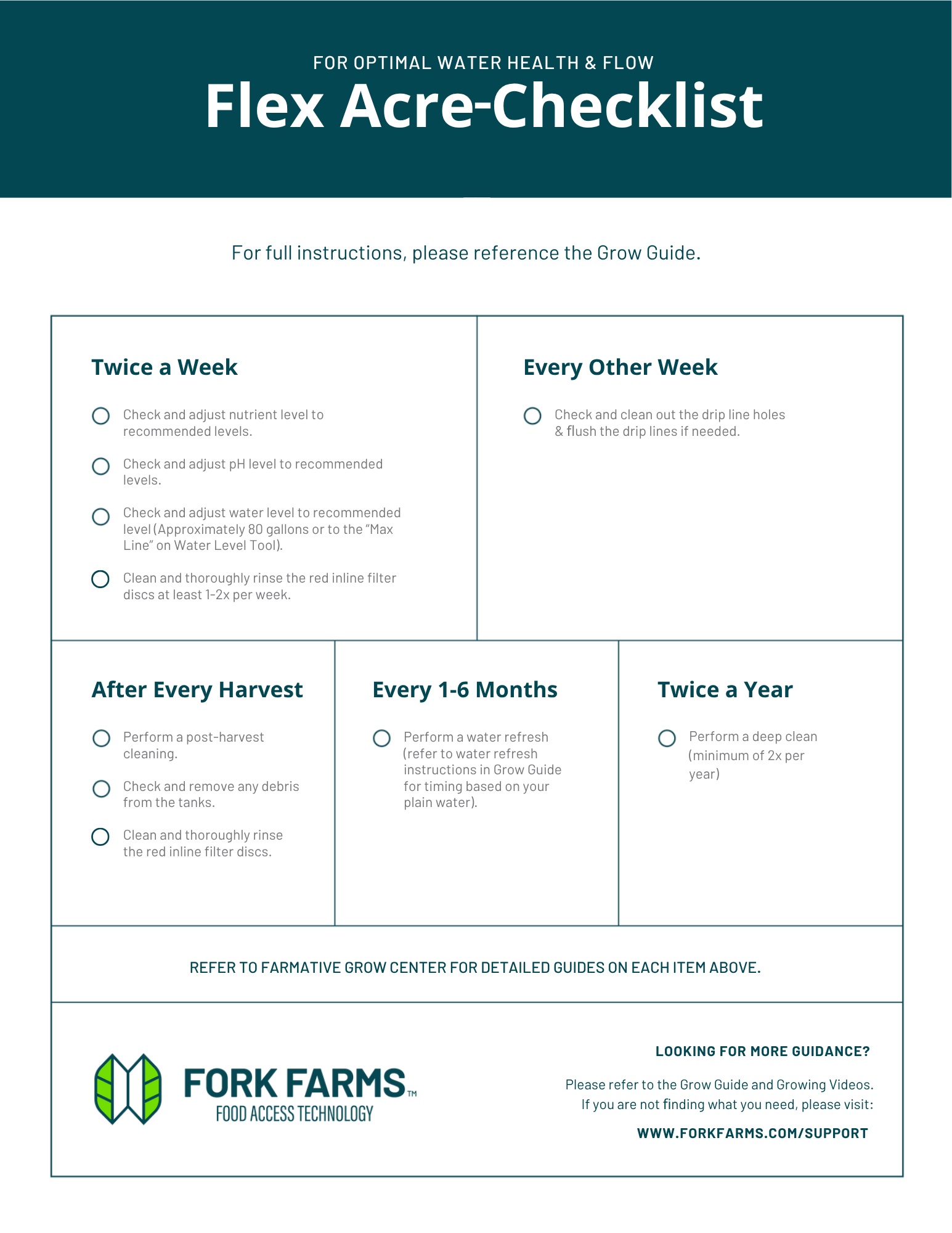
The Flex Acre Checklist is the same cadence as a tick sheet, so you can see at a glance what is due twice a week, every other week, after every harvest, every 1 to 6 months and twice a year.
Flex Acre Data Log is where the readings go: one row per visit for your pH, your nutrient reading, the date and the name of whoever ran the task.
Marking a Task Complete
- Open your Data Log and start the row for the task you just finished.
- Record the timestamp of completion, as this is the one entry every maintenance task asks for.
- Record a pH verification alongside it, as every maintenance entry asks for one, including your deep clean.
- Mark your transplanting task Complete, as that moves your batch from Nursery to Active Growth and starts the first nutrient dosing task.
- Mark your harvest Complete, as that starts Cleaning your Panel Wall After Harvest (Part 1 of 3).
Recording your Pump and Timer Checks
- Record Pass or Fail for your pump check and your timer check on one Data Log line, as both belong to one visit.
- Add the date and the name of the partner who ran the checks.
- Flag any part you logged as Fail for replacement.
Checking your Pump & Timer (Part 1 of 4) carries the pass and fail criteria for both checks.
Uploading your Photos
- Photograph both Drip Lines once they are scrubbed, brushed and air dried.
- Photograph your Tank once it is drained, cleaned and sanitized.
- Photograph your Tank Lid once it is cleaned, sanitized and the Lid Plugs are back on.
- Keep each photo with your Data Log rather than leaving it on your phone, in a shared folder named for the task and the date.
Logging your pH and Nutrient Readings
- Record your initial nutrient reading before you dissolve Nutrient A.
- Record your PPM and your pH on the same visit, twice a week.
- Compare your PPM against the Target Number on your Quick Reference Guide, which is the reading of your plain water plus 700.
- Record both readings before you adjust anything, then record what you added.
- Check both again on your next visit a few days later, and record them again.
- Record the total of every increment you added, in tablespoons, once a post-wait reading holds in the range for your crop.
Use the nutrients and pH Down supplied by Fork Farms. They are matched to your Flex Acre.
Tracing your Seed Lots
- Write the Crop Type, Amount and Planting Date on labeling tape.
- Write the seed lot number beside that tray label in your Data Log, as it ties a finished crop back to its lot.
- Record the Planting Date, as your transplant window counts forward from it, typically 2 weeks for greens and 3 to 4 weeks for herbs.
- Check off the germination milestone once about 90 percent of the tray has germinated, as that check-off calls for dome removal.
Weighing and Logging your Harvest
- Pre-weigh each empty container without its lid before you cut anything.
- Record that empty container weight in your Data Log.
- Subtract the empty container weight from the full container weight.
- Record the net weight, as this is the number that tells you how much your Flex Acre produced.
- Keep basil cool and dark rather than refrigerated, as cold damages it.
NOTE: WEIGH EVERY CONTAINER BEFORE YOU CUT. ONCE A CONTAINER IS FULL THERE IS NO WAY BACK TO ITS EMPTY WEIGHT, AND EVERY NET WEIGHT FROM IT IS AN ESTIMATE.
Closing Out your Deep Clean
- Record the name of the partner who ran the deep clean, so anyone reading back knows who to ask.
- Record Pass or Fail for the pump check and the timer check before you close the log.
- Write the state of your Flex Acre in your Data Log, such as Deep Clean Complete, once every other entry is in.
Your Flex Acre log now carries every reading, photo and weight each task asks for—well done!
Next: Preparing & Sanitizing your Rockwool (Part 1 of 6) — to start your first crop.